What is pre-commit?
pre-commit is a tool, specifically a package manager. It "manages" custom pre commit plugins or hooks. And what are pre commit plugins? These are basically git hook scripts bundled as an executable which can do various things such as,
- point out issues in code such as missing semicolons
- run lints
- check code for security vulnerability etc.
So the point is that instead of painstakingly writing and managing git hook scripts, pre-commits are an abstraction over git hooks and make it much easier to use git hook scripts. And its also makes the git hooks shareable.
An interesting thing about pre-commit is that its multi language. What this means is that the pre commit plugins itself can be written in any language and we can run these on our projects written in other languages.
pre-commit manages the installation and execution of any hook written in any language before every commit.
Here are some common exisinting pre-commit hooks.
How to use pre-commit?
-
pre-commit is a python package and can be installed via pypi -
pip install pre-commitinto your project's venv or conda environment -
then we create a file called
.pre-commit-config.yamland a simple example of its contents could be
repos:
  - repo: https://github.com/pre-commit/pre-commit-hooks
    rev: v4.4.0
    hooks:
      - id: trailing-whitespace
      - id: end-of-file-fixer
      - id: check-merge-conflict
      - id: check-yaml
The above configuration tells pre-commit that we would like to use the 4 specified pre commit hooks from the specified repo.
- Install the Hooks - Run this to install the hooks defined in your config file:
pre-commit install
When you run the above command you see something like this
pre-commit installed at .git\hooks\pre-commit
- now if we perform a
git committhe pre commit hooks run and we see something like the below (depends on what hooks we have configured to run)
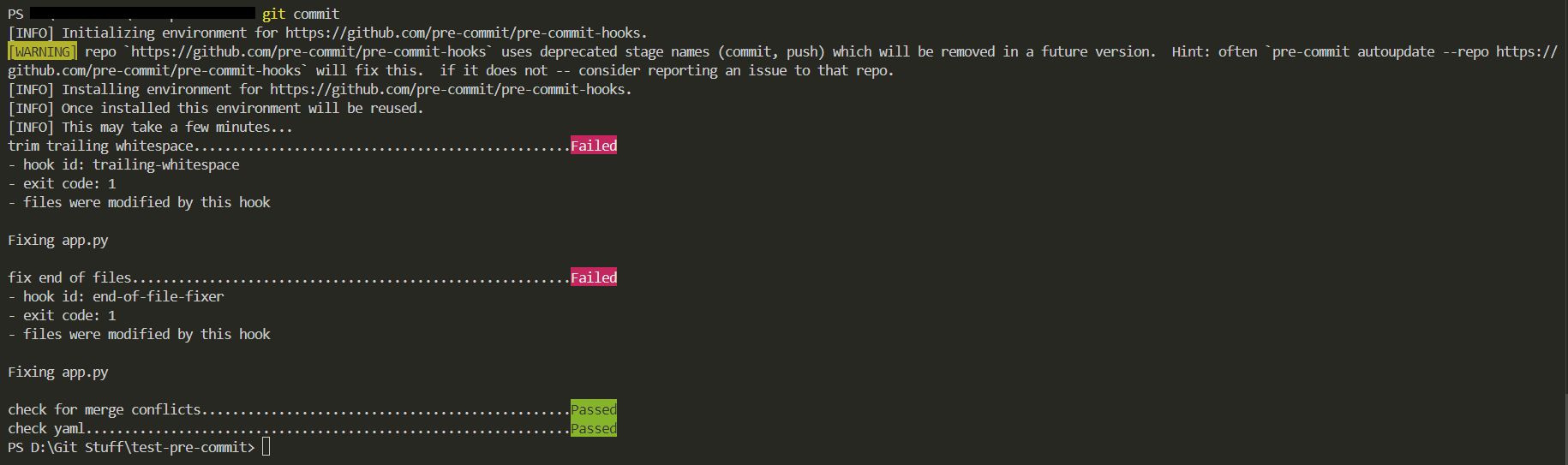
These pre commit hooks can also update the incorrect files if they were programmed to do so.
CAUTION : I did all that and when I do a git commit -m "my message" another version of the committed file shows up in git status. Like there's two. And git push origin master did not push changes to remote. Like it didn't commit. Context: My pre-commits failed. But it modified and fixed the files.
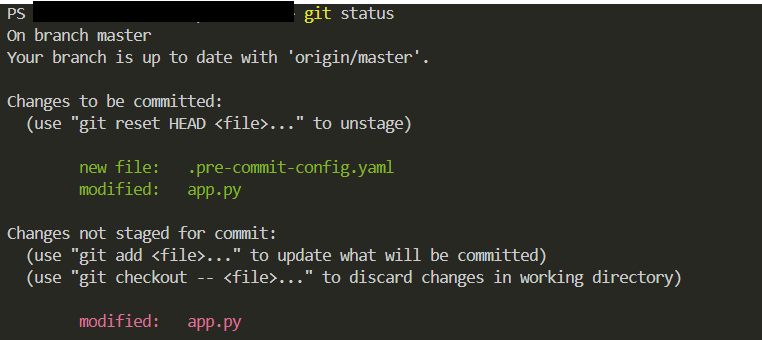
This is a classic "pre-commit caught an issue, fixed it, but blocked the commit" situation. This happens because the pre-commit hooks "mutate" your staged files (like fixing trailing whitespace or formatting), but Git doesn't automatically pick up those changes for the same commit attempt.
Git Needs You to Re-stage the Fixed Files: Since the files were modified, the index (staging area) no longer matches the working directory, causing the commit to fail.
How to fix this?
Pre-run the Hooks pre-commit run --all-files and then stage, commit and push to remote.
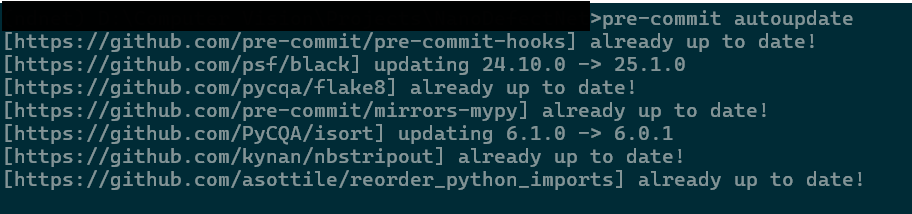
Run pre-commit autoupdate to automatically update the versions of the hooks in your .pre-commit-config.yaml to the latest available releases from each repo.
There is the below pre-commit hook that prevents direct commits to the main branch
repos:
- repo: https://github.com/pre-commit/pre-commit-hooks
  rev: v5.0.0
  hooks:
  - id: no-commit-to-branch  # prevent direct commits to main branch
pre-commit clean deletes the pre-commit cache in C:\Users\<USER_NAME>\.cache\pre-commit
Another thing to note is that when we run pre-commit run --all-files it runs it only on those files that are staged for commit
Note to self: DO NOT USE isort and reorder-python-imports pre-commits together because they both reorder the imports differently and hence make each other fail.